Formaloo changelog

A transparent, running record of every feature, fix, and improvement we ship. Stay up to date on what's new and what's coming next.
May 21, 2026

Let your team vote on what matters

If you've ever used Formaloo to run a roadmap board, collect feature requests, or manage submissions from external users, you've probably hit the same wall: you can display the cards, but you can't ask people to weigh in. Prioritization meant exporting data, running polls elsewhere, or just guessing. This release changes that.

Upvoting on Kanban and Gallery

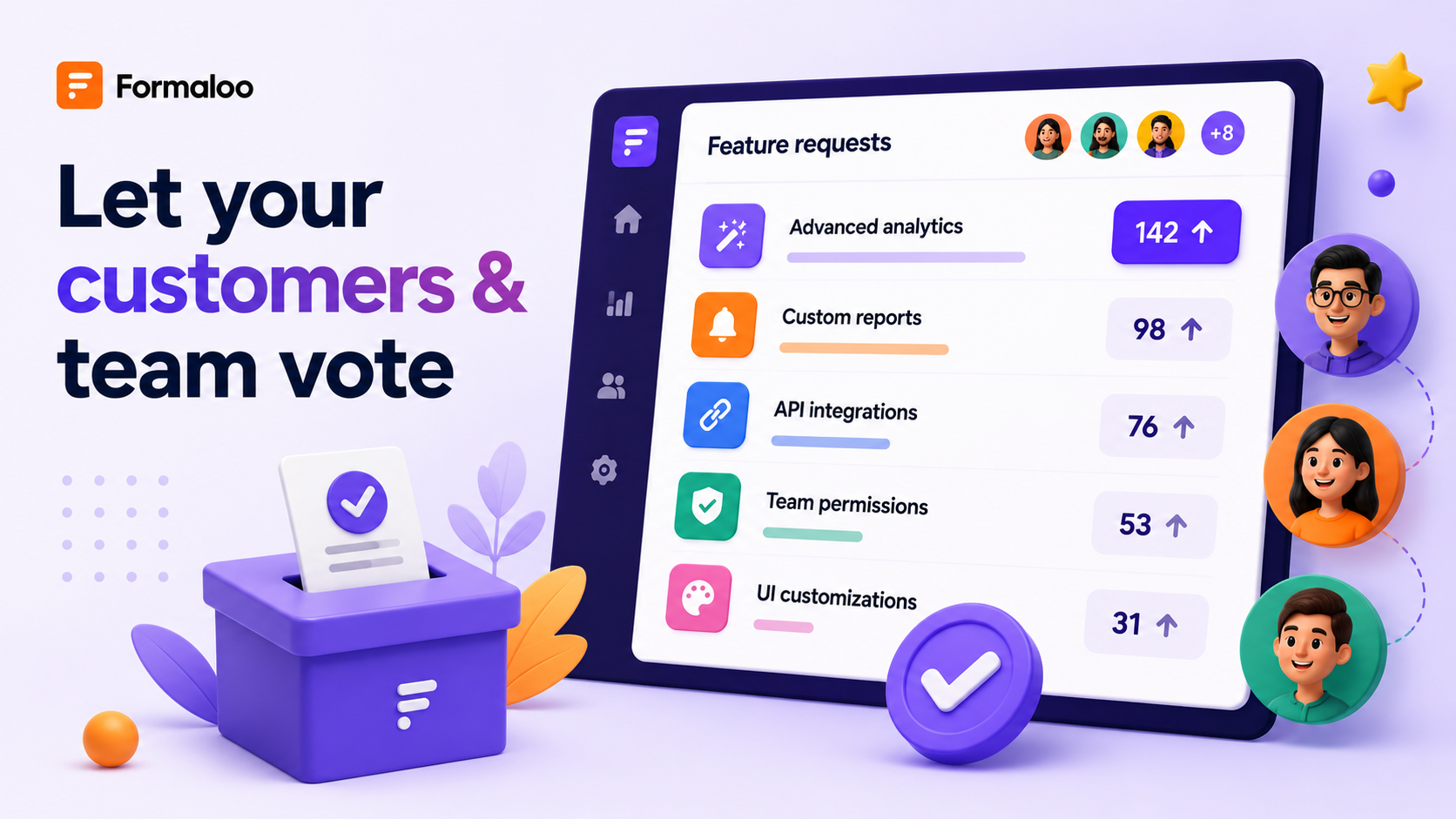
Kanban and Gallery views can now display upvote buttons on each card. When enabled, users vote for the items they want to support and the cards sort automatically by vote count.

To turn it on, open the block settings on any Kanban or Gallery view and enable Voting. You'll also choose who can vote: internal users (your workspace members), external users (portal visitors), or leave it open to both. Users outside the allowed audience can still see vote counts, but cannot cast votes.

Each eligible user gets one vote per card. Clicking again removes it. In Gallery, cards reorder globally by vote count. In Kanban, cards reorder within each column, so the most-supported items rise to the top of every stage.

This works for team prioritization and for customer-facing boards. A team reviewing roadmap items can surface what the group actually wants to build next. A public-facing feature request board lets customers signal their priorities directly, inside the same portal where they submitted.

What changes:

  • Kanban and Gallery block settings now include an Enable voting toggle
  • When voting is enabled, each card shows an upvote button and a vote count
  • Admins choose who can vote: internal users only, or external users only
  • Each eligible user can cast one vote per card; clicking again removes the vote
  • Gallery cards reorder globally by highest vote count when voting is on
  • Kanban cards reorder within each column by highest vote count
  • Users outside the allowed audience see vote counts but cannot vote
  • If voting is disabled after launch, existing votes are stored but no longer shown

Change any field type without rebuilding

Every form builder has made the same mistake: added a Text field when they meant Email, or a Dropdown when they needed Multi-choice. Until now, fixing it meant deleting the field, rebuilding the configuration, and losing any collected data. You can now change a field's type directly from the form editor.

Click any field, open the type dropdown, and select a different type. A warning popup appears first. It explains that some response data may not survive the conversion, and it includes an option to export responses before confirming. If the data is compatible with the new type, it carries over. If it is not, only that field's data is cleared across all collected rows.

Field properties migrate automatically where they apply. Title, description, ID, width, required status, help text, and choices all carry over if the new type supports them. Converting a Dropdown to a Single Choice keeps all existing choices intact.

What changes:

  • Any field in the form editor can be changed to a different type using the field-type dropdown
  • A confirmation popup appears before the change is applied, with an option to export responses first
  • Clicking "No, cancel" leaves the field unchanged
  • Compatible response data is preserved after the type change
  • Incompatible response data for that field is deleted across all collected rows
  • Field properties (title, description, ID, width, choices, required status) carry over where the new type supports them
  • Dropdown to Single Choice conversion preserves all existing choices

Test your email and PDF templates for free

Building a PDF template used to mean generating the actual PDF to see how it looked. Same for email templates. Every test drew from your add-on credits, even when you were just checking spacing or adjusting a variable. With add-on credits now visible in the product, that friction matters more.

There is now a test mode for both. In the email template editor, a "Send test" option lets you send to yourself or any address without counting toward your email credits. In the PDF builder, a preview mode renders the template using sample submission data with no credit charge. Iterate as many times as you need before going live.

What changes:

  • Email template editor now includes a "Send test" option for sending to any address
  • Test email sends do not consume email add-on credits
  • PDF builder now includes a preview mode that renders the template using sample data
  • PDF preview renders do not consume PDF generation credits
  • Both options are available inside the template editor without needing a real form submission

Custom sidebar and workspace-level pins (Enterprise)

Enterprise workspaces can now customize the left sidebar navigation and pin projects for the entire team.

Workspace admins can add custom menu items with a title, icon, and URL. They can hide default items (Home, Activity, Shared with me) that are not relevant to the workspace's workflow. They can also set a workspace homepage so every member lands on the right page when they open Formaloo.

Workspace-level pinning works alongside the new sidebar controls. When an admin pins a project, a popup asks whether to pin it personally or for the whole workspace. Workspace-pinned projects appear for all members and cannot be unpinned by non-admins. Any admin can remove a workspace-level pin, which removes it for everyone.

What changes:

  • Workspace admins can add custom sidebar items with a title, icon, and URL (Enterprise only)
  • Workspace admins can hide the following default sidebar items: Home, Activity, and Shared with me
  • Workspace admins can set a default homepage that opens for all members when they enter the workspace
  • Custom sidebar items open in the same tab
  • Pinning a project as an admin prompts a choice: personal pin or workspace pin
  • Workspace-pinned projects appear pinned for all workspace members
  • Non-admin users cannot unpin workspace-level pins
  • Any admin can remove a workspace-level pin, which removes it for everyone
  • Feature available on Enterprise plan only

Contact info shortcut in the field picker

The field picker now includes a Contact Info shortcut. Selecting it adds four fields in one step: First name, Last name, Email address, and Phone number. All four are created at 50% width, arranged in two rows. Each field is a standard type and can be edited, moved, or deleted individually after creation.

What changes:

  • A "Contact Info" shortcut is now available in the form field picker
  • Selecting it automatically creates four fields: First name (text), Last name (text), Email address (email), Phone number (phone)
  • All four fields default to 50% width in a two-row layout
  • Each field can be independently edited, moved, or deleted after creation
  • Removing one generated field does not affect the others

Improvements

  • Auto-assignment via logic. The Assignee field is now supported in advanced logic. You can set a conditional rule to automatically assign a record to a specific team member based on field values, triggered on submission or on update. Previously, assignment was manual-only.
  • Export User Directory data. The User Directory table now includes a full Import/Export section, matching the controls on other data blocks. You can export all user data or a filtered view as a file.
  • Simplified portal OTP authentication. When a portal has OTP login enabled, the system now handles both login and signup in a single flow. If the user already has an account, OTP verification logs them in. If they do not, an account is created after verification. Visitors no longer need to pick the correct page first.
  • Active users count toward external user limit. Inactive portal users no longer count toward a workspace's external user limit. Marking a user as inactive now frees up the seat immediately.
  • Portal branding on login and signup pages. When users arrive at the login or signup page of a memory form or portal, the portal's title and logo are now displayed.

Better experiences

Forms

  • Field width is now preserved when duplicating a field in the form editor
  • Applying a new theme no longer leaves the old background image in place on a form
  • Arial is now available in the font list for forms, the PDF builder, and the email template editor
  • Collapsible containers now default to collapsed in public-facing forms
  • Dropdown field settings have been reordered to follow a more natural configuration flow: choices first, then advanced options
  • Number fields with decimal places now accept input correctly on mobile, and entering the decimal separator no longer clears the field on desktop
  • Image layout changes (left, center, right) and caption positioning now apply correctly in the live form view
  • Admin-only Date fields with a default value (such as Today) now populate correctly on submission
  • A tooltip now explains why only one email verification field can be added per form

Data & analytics

  • Kanban cards can now be moved between columns in View mode
  • Ending pages no longer appear as rows on Kanban boards
  • The remove button in the sort panel now has enough spacing from the border to click reliably
  • Linked row and User profile lookup field values now display correctly in the Edit row panel
  • Empty embed blocks are now handled without errors

PDFs

  • Line breaks entered in text fields are now preserved when exporting to PDF
  • Table borders in PDFs are now consistent between the rich text editor, preview, and the generated output file
  • Special characters (ö, ü, ä) now render correctly in PDFs when entered via the rich text editor
  • Free plan users can no longer get trapped in the PDF template editor; the editor now correctly blocks access and allows navigation out

Integrations

  • Google Sheets connections now sync form data correctly after a connection is established
  • The export download link no longer disappears on page refresh and is now accessible to collaborators on large form exports

Account & settings

  • Context menu actions on pinned sidebar items now work correctly when the sidebar is collapsed or set to collapsible mode
  • The storage overage banner now clears correctly after forms are deleted and space is freed
  • Portal profile settings are now fully responsive on mobile
  • Portals now show the correct user profile icon for users who are already signed in, rather than showing the Login button
  • Deleting a User Directory now removes its users and updates the workspace's external user seat count
  • Embedded forms on portal pages now show a loading indicator while the form is loading
  • Meta images on shared form links now update immediately after being changed in settings
  • The upgrade flow now shows the prorated charge before you confirm a plan change

We ship every week. Follow our changelog to stay up to date.

April 27, 2026

Build your brand once

Design configuration used to be one of those silent time sinks in Formaloo. Every new form — same colors, same font, same logo, same custom CSS — set up from scratch. For teams managing dozens of forms, that adds up. This release addresses it properly.

Themes: your workspace design system

Formaloo now has a workspace-level Themes system. A theme is a complete design kit: form type and layout, form width, spacing between fields, color palette, font and font size, corner roundness, background image, progress bar settings, logo, default cover image, and custom CSS. Create a theme once, attach it to any form, and when you update the theme, every connected form reflects the change instantly.

Every new form requires a theme. There is no more standalone per-form design configuration — all design changes update the theme. When you edit a shared theme, Formaloo tells you how many forms it's connected to and gives you two options: continue editing (which updates all of them at once) or duplicate and edit independently. Deleting a theme requires you to reassign its forms to a replacement first.

The Design tab inside the form editor now has two sections: My Themes, which shows all your workspace themes with full create, edit, duplicate, rename, and delete options, and a Gallery of pre-built system themes you can apply directly or duplicate and customize.

Agencies can create a separate theme per client and apply it across all forms for that client. Update the client's brand — one change updates every form.

What changes:

  • Every new form must attach to a theme — all design settings are now theme-level, not form-level
  • Each theme covers: form type, layout, width, field spacing, color palette, font, font size, corner roundness, background image, progress bar, logo, default cover image, and custom CSS
  • Create, edit, duplicate, rename, and delete themes from the Design tab inside the form editor
  • Editing a shared theme updates all connected forms instantly; Formaloo shows how many forms are affected before you save and offers a "Duplicate & Edit" path for isolated changes
  • The Design tab includes a Theme Gallery with pre-built system themes to apply or customize
  • Legacy forms created before this release continue to work exactly as before and prompt you to convert to a theme on your next design change

The add-ons page

Formaloo now has a Usage page, a single place to see what your workspace is consuming and to top up exactly what you need, without changing your plan.

The page shows your usage across every key dimension: forms created, monthly submissions, team member seats, external user seats, AI credits, custom email credits, custom PDF credits, cloud storage, and data enrichment rows. Each item shows how much you've used and your current limit, side by side, with a visual progress bar. For monthly limits like submissions, the counter reflects the current period only.

When you need more capacity, you can purchase an add-on directly from the page. Available add-ons: Whitelabel features (custom domain, custom CSS, badge removal from forms and apps), extra cloud storage, additional team member seats, additional external user seats, AI credits, custom email credits, and custom PDF credits. Credit-based add-ons — AI, email, and PDF — don't expire. They stay in your account until you use them.

The Usage page is visible to all workspace members. Only workspace admins can make purchases.

What changes:

  • A new Usage page is now available in the dashboard navigation, next to the upgrade option
  • Tracks usage across forms, submissions, team seats, external users, AI credits, emails, PDFs, storage, and more — with visual progress bars per metric
  • Add-ons available to purchase: Whitelabel, extra storage, team seats, external user seats, AI credits, email credits, PDF credits
  • Credit-based add-ons (AI, email, PDF) do not expire
  • Free plan users can view the Usage page but cannot purchase add-ons
  • Only workspace admins can make purchases; non-admins see a locked state with a clear explanation

A better way to build PDF and email templates

The PDF template editor now works in two modes: Rich Text and HTML.

In HTML mode, you write or paste raw HTML on the left and see a live PDF preview on the right. The preview updates as you type, renders your full design — fonts, colors, images, dynamic fields, and layout, and marks page breaks with blue lines so you know exactly where the PDF will split.

The HTML mode makes AI-assisted template creation practical. You can prompt ChatGPT, Claude, or any AI tool to generate an HTML certificate, invoice, report, or agreement for you, paste the output directly into the editor, and watch it render in the preview. No PDF design tool required.

Text editor improvements also ship across form descriptions, field descriptions, content blocks, section fields, and form ending pages.

What changes:

  • The PDF template editor now has an HTML editing mode alongside Rich Text, with a live side-by-side PDF preview
  • The preview renders in real time as you edit, showing the final PDF output and page breaks (blue lines)
  • HTML templates can be generated with AI tools and pasted directly into the editor
  • Text editor improvements apply across form descriptions, field descriptions, content fields, section fields, and form ending pages

Invisible fields

Every field type in the form editor now supports an "Invisible field" toggle. When enabled, the field stays completely hidden from respondents but remains fully active everywhere else: it receives values via URL parameters or answer piping, participates in logic rules, stores data in data blocks, and can be marked as required or admin-only. The form editor shows a visual indicator on any field set to invisible so builders always know what respondents can and can't see.

The invisible state is absolute, it always takes priority, even if a logic rule attempts to show the field. This is intentional: if you mark a field as invisible, it stays invisible regardless of any show/hide conditions.

Useful for: UTM and campaign tracking fields, internal IDs, pre-filled scoring variables, referrer fields, metadata, and any field you want to keep active without surfacing to respondents.

What changes:

  • All field types now include an "Invisible field" toggle in the field settings panel
  • Invisible fields are hidden in the form UI but remain active for logic rules, URL pre-filling, answer piping, and data block storage
  • The form editor displays a visual indicator on all invisible fields
  • The invisible state overrides show/hide logic — the field stays hidden even if a logic rule attempts to reveal it

Improvements

  • Email and PDF template lists now sort by creation date, with the most recently created templates at the top.
  • When you create a new email template directly inside the advanced logic builder, it automatically becomes the selected template in that logic step — no need to re-select it manually after saving.
  • PDF templates selected inside a logic rule now show a preview and quick-edit option, so you can confirm the right template is in use without leaving the logic setup.
  • Auto-generated PDF tables using @answered and @results_table piping parameters now render with consistent formatting: bold question text, readable row spacing, and sizing that matches the default printable template.

Better experiences

Forms

  • Phone fields on mobile now preserve the country code when auto-fill is used — the full number with the correct prefix goes through as entered.
  • Logic rules tied to Checkbox fields now trigger reliably every time a box is ticked, including calculations that add or update variable values.
  • Forms set to the 1QAT theme now display in 1QAT when embedded via script — the theme is respected in embedded contexts, not just the direct form link.
  • Custom CSS targeting .formaloo__progress-bar-container now applies correctly in published forms, including position and sizing properties.
  • Embedded forms now show their loading indicator at the form's position on the page, not at the top of the browser window.

Data & analytics

  • Exporting responses now works from View mode — go to Options > Import & Export and both "Export all responses" and "Export filtered responses" work as expected, regardless of which mode you're in.
  • Data block filter options now include all indexable field types: variables, lookup fields, hidden fields, email fields, phone fields, rating fields (NPS, CSAT), date and datetime fields, profile fields, linked row fields, and more.
  • Data blocks requiring email verification now show a clear prompt explaining that verification is needed, instead of a loading animation that never resolves.

PDFs

  • The Custom PDF section in Apps & Integrations now displays with a clean, properly aligned layout.
  • Formula variables that use addition now display the correct total when piped on the form — the displayed value matches what is saved in the responses table.

Integrations

  • Email template deep links now open the specific template you shared, not the generic Email Template integration page.
  • Workspace admins can now save email templates using a custom SMTP server configured by the workspace owner.

Account & settings

  • New data blocks created alongside a new form now save reliably every time.

🎁 Win an iPad Air 2026 — write us a review

We're celebrating our community with a giveaway, and everyone who participates gets something.

Leave an honest review on G2, Capterra, or Product Hunt, then submit your review link at formaloo.formaloo.me/ea8ey.

Every approved review earns you one free year of Formaloo Pro and a $10 donation to Relief International on your behalf. One lucky reviewer also wins a brand new iPad Air 2026 (M4) — drawn live on YouTube on May 5th. Review on all three platforms and get three entries.

Deadline to submit: May 4th.

We ship every week. Follow our changelog to stay up to date.

March 31, 2026

Timestamps that tell the truth

Timestamps are the backbone of any record-keeping system. For teams spread across time zones, a single misaligned timestamp can mean a report filed at the wrong date, an audit log that doesn't match reality, or a filter that quietly returns the wrong slice of data. We've seen this cause real friction for our global customers, and we fixed it properly.

You can now set a timezone for your entire workspace. Once selected, every system-generated date and time across Formaloo; Created at, Updated at, activity logs, data block filters, the Edit row sidebar, and generated PDFs, reflects your chosen timezone. Your whole team sees identical, consistent values. No more off-by-one-day errors. No more mismatch between what happened and when it was logged.

What changes:

  • A new Timezone setting under Workspace Settings, using a searchable dropdown with IANA format (e.g. America/Toronto, Europe/Berlin) and friendly labels like (GMT −5) Toronto
  • All system timestamps across data blocks — Table, Kanban, Gallery — convert from UTC to your workspace timezone at render time
  • Activity page, User Directory table, and the Edit row sidebar all honor the workspace timezone
  • Full datetime range filters (date + time, not just date) are now available across all data blocks and the Activity page
  • Generated PDF timestamps reflect the workspace timezone
  • Filtering logic is timezone-aware: a 00:00–23:59 range means that actual day in your timezone, not UTC

This sets the foundation for more reliable reporting, cleaner audit trails, and stronger enterprise readiness. If your team operates across regions, this one's for you.

Improvements

  • User Directory dropdown now shows a loading state while the directory list reloads after a deletion, so the UI feels responsive instead of going blank.
  • Edit row sidebar now displays full datetime values (YYYY-MM-DD HH:MM) — previously only the date was shown.
  • Four new filter options — Created at, Updated at, Created by, and Updated by — are now available across all data blocks, the Activity page, and the User Directory table.

Fixes

Forms

  • Fixed a blank page appearing after signup on memory-protected forms — respondents are now correctly redirected to the form.
  • Fixed form views failing to load and displaying a "No form found" message.
  • Fixed the Embed tab disappearing from form Share settings.
  • Fixed the Date Time field's MM-DD-YYYY format not applying in the public-facing form.
  • Fixed the form banner (cover image) being deleted when the form width was changed.
  • Fixed the time picker on Date Time fields not opening on mobile devices.
  • Fixed a blank page appearing in classic paginated forms when all fields on a page are hidden by logic.
  • Fixed text variable values set via logic not piping correctly onto the form (values were captured in the responses table but not shown to respondents).

Portals

  • Fixed forms not loading after a user signs up or logs into a portal — the form content now renders correctly.
  • Fixed the Uncategorized column not appearing in Kanban data blocks in portal view.
  • Fixed drag and drop not working for file uploads in the Edit row sidebar and in forms embedded inside portals.
  • Fixed Live Embed page content being squeezed and compressed to the top of the page with no way to resize it.

Data & analytics

  • Fixed chart display settings (selected fields, visibility toggles) resetting to defaults after navigating away or refreshing the page.
  • Fixed the Activity page folder filter returning no results even when matching activity existed.
  • Fixed User Profile dropdown search returning "No options found" when editing a submission, even for users that exist in the User Directory.
  • Fixed conditional logic not triggering based on Lookup field values.
  • Fixed folder structure being partially duplicated after migrating projects via Admin.

PDF & export

  • Fixed signatures being invisible in results tables, row sidebars, and PDF exports when a form uses a dark background.
  • Fixed table colors, borders, and styling being lost in generated PDFs.
  • Fixed Date Time fields displaying an incorrect format (e.g. yyyy-00-dd) when piped into generated PDFs.

UI

  • Fixed center-aligned images on ending pages rendering as left-aligned.
  • Fixed dropdown field choices being unreadable (white text on white background) in dark mode.

We ship every week. Follow our changelog to stay up to date.

February 28, 2026

Logic can now update your data, and a lot more shipped this cycle

This release is headlined by a new Logic action that writes back to your records. Beyond that, A major new Logic action, a smarter project setup experience, a rebuilt data blocks layer, and over a dozen fixes that have been on the list for too long. Here's everything.

Update Record, now an action in Logic

Logic in Formaloo has always let you control what users see; show a field, skip a page, route to an outcome. Now it can act on your data too.

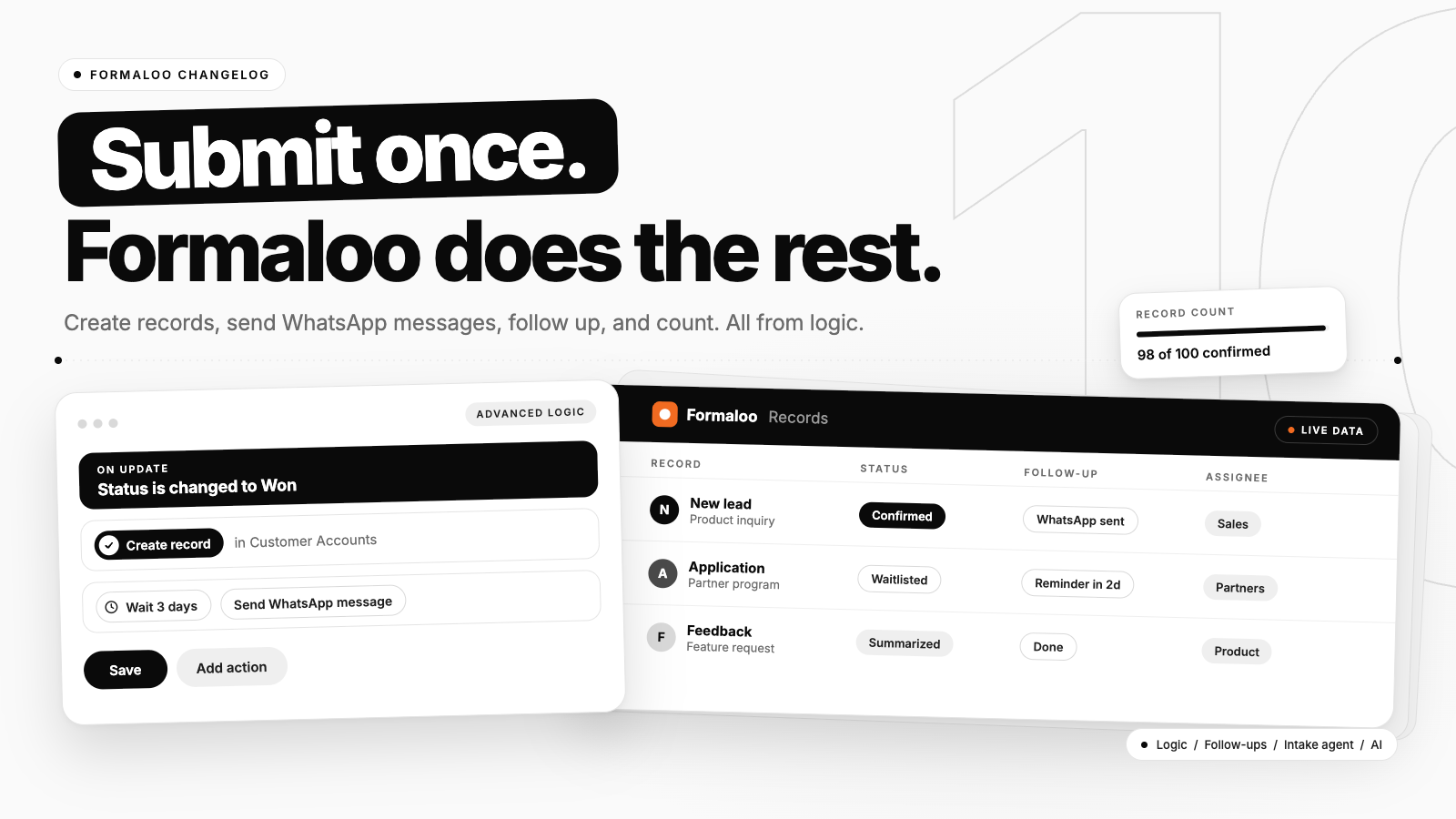
The new Update Record action is available on both OnSubmit and OnUpdate triggers. When your conditions are met, Formaloo can automatically write back to a record, updating a Lookup field, a Linked row, or a User profile field, without any external automation tool. See how you can update records across forms using logic in Formaloo.

Here's a real example of what this unlocks:

On update: If Task 1 is Done and Task 2 is Done → Update record → User profile → Role → Manager

No Zapier. No Make. Just your logic, acting on your data.

A few things worth knowing: Update Record can't be nested or looped, we disable those paths to prevent broken flows. There's also a limit on how many row updates a single record can trigger. This action is available on Pro plans and above.

Lead Enrichment to turn an email into a full profile

Formaloo can now automatically enrich form responses the moment they come in.

Enable Lead Enrichment from the App Store, connect it to a form, and every new submission that includes an email address gets enriched with third-party data in the background, no manual export, no separate tool.

It works for B2B leads (work emails like name@company.com), enriched with job title, department, company name, industry, revenue range, employee count, company ranking, and more.

You control exactly where the data lands. In the configuration flow, map any enriched attribute to a field in your form, for example, map company_name to your "Company" field, company_revenue to "Revenue," and linkedin_url to "LinkedIn." If you'd rather capture everything at once, there's a "Store All Data" option that consolidates all enriched attributes into a single long-text field.

A few things worth knowing: not every email will return enrichment data, match rates vary by industry and email type. Enrichment only applies to new submissions after activation, not historical responses. And the form needs at least one Email field for enrichment to trigger.

Lead Enrichment is available now in the Formaloo App Store.

Per-question cover images in 1QAT forms

One Question At a Time forms now support a unique cover image per question, not just a single banner for the whole form.

Upload an image directly in the question's settings, and it replaces the form-level banner for that step. If a question doesn't have its own image, the form banner acts as the fallback automatically. Welcome pages and ending pages can have their own cover images too. See how you can add individual cover images per page in one‑question‑at‑a‑time forms.

Four of the six 1QAT layouts support this. If you're on a layout that doesn't, the option is visible but disabled with a clear explanation.

The builder preview updates dynamically as you navigate between questions, what you see is exactly what your respondents will see.

Progress bar, now in Classic forms

The progress bar was previously only available in 1QAT forms. It's now available in Classic (multi-page) forms too, with the same visual design, same size, color, animation, and position.

In Classic forms, progress advances per page. On a five-page form, each page moves the bar forward by 20%. In 1QAT, it still advances per question.

For 1QAT, the progress bar is now enabled by default when you switch a form to that mode. You can still turn it off manually if you don't want it, and if you do, your preference is respected until the next time you switch modes.

Single-page Classic forms don't show the progress bar. The option is disabled with a prompt to add a page first.

Target fields with CSS and JS using Field IDs

Each field in Formaloo already has a Field ID. That ID is now mapped to the DOM as a stable id attribute, so you can target any specific field directly in Custom CSS or Custom JS, no brittle selectors, no DOM guessing. Learn more about how to use field IDs in Custom CSS & Custom JS.

CSS Examples

/* Make a specific field's label bold */
[data-field-id="email"] label {
 font-weight: bold;
}

/* Add a border to a specific field */
[data-field-id="phone_number"] {
 border: 2px solid #0066cc;
 border-radius: 8px;
 padding: 12px;
}

/* Style the welcome page */
[data-field-id="welcome_page"] {
 background: linear-gradient(135deg, #667eea 0%, #764ba2 100%);
 color: white;
}

JS examples

// Get a field element
const emailField = document.querySelector('[data-field-id="email"]');
if (emailField) {
 emailField.classList.add('highlight');
}

// Focus a field when the form loads
const firstField = document.querySelector('[data-field-id="full_name"]');
if (firstField) {
 const input = firstField.querySelector('input, textarea, select');
 if (input) input.focus();
}

This works on all published forms. If a field is hidden by logic and isn't rendered, the element won't exist in the DOM; handle that with a null check in your JS.

Smarter project setup flow

Creating a new project, whether from a template, the + New button, or by duplicating an existing one, now opens a focused configuration pop-up before anything is created.

The fields you see depend on the project format:

  • Forms, surveys, quizzes, destination folder, title, and form type (Classic or 1QAT).
  • Memoryforms , same as above, plus user directory selection and bulk user import.
  • Portals, destination, title, user directory, and bulk import.
  • Dashboards, destination and title.

Destination and form type are pre-filled based on where you started. For Memory forms and Portals, you can connect an existing user directory or create a new one on the spot, and optionally import users via Excel or a pasted email list, all in the same flow.

We also fixed the sign-up onboarding loop and the inconsistency that appeared when signing up directly from a template.

Data Blocks v2

Data Blocks have been rebuilt under the hood. This update makes data blocks much faster & easier to work with, especially when you have big data.

The Kanban view in portal now correctly shows the uncategorized column, and folder-based row assignments work reliably across all folders.

Form fixes

  • Answer piping in descriptions. You can now pipe previous answers into a form's description fields, not just question labels. Useful for building conversational, personalized flows.
  • Signatures on dark themes. Signature fields are now visible when a form uses a dark background with light text.
  • Mobile datetime picker. The time selector in date/time fields now opens and works correctly on mobile devices.
  • Text variable piping. When a text variable is set via Logic, its value now pipes correctly throughout the form — not just captured silently in the response table.
  • Formula variable display. Formula variable values now show correctly in the responses table instead of displaying as "–".
  • reCAPTCHA for Enterprise. Enterprise workspaces can now enable reCAPTCHA on forms for bot and spam protection.
  • File field translation. The placeholder text on file upload fields now correctly updates when translation or customization settings are changed.
  • Ending page reliability. Content set in the Form Editor now displays correctly after submission. AI-powered ending pages (Formaloo AI and GPT) work as expected.

PDF & reporting fixes

  • Tables in generated PDFs now preserve their color and styling.
  • Date/time fields now show the correct value when used in PDF answer piping.
  • Custom PDF templates now include a default padding, so content no longer runs to the edge.
  • Chart display settings (layout, colors, etc.) now persist after a page refresh instead of resetting to defaults.

Other fixes

  • The "Created at" filter no longer includes "Tomorrow" as an option, it never made sense there.
  • The View button in the Share sidebar now reflects a form's updated URL immediately after it's changed.
  • Drag-and-drop on the file upload field in the Edit Row sidebar now works correctly when logged into a portal.
January 31, 2026

Building for scale, clarity, and your workflow

This month, we focused on making Formaloo more flexible for teams while refining the details that matter in your daily work. Whether you're managing complex projects, migrating from older setups, or just trying to get forms to look exactly right, we've been listening.

Team collaboration

New team management & access levels

Now you can create departments, assign people to them, and use those teams to shape who sees what and who owns what.

We introduced Teams: a system that lets your workspace mirror how your organization actually works. Think of each workspace as a company: now you can create departments, assign people to them, and use those teams to shape who sees what and who owns what.

Here's how it works:

• Create and manage teams: Workspace admins can create, edit, and delete teams directly from the Workspace Members page. Teams are global to your workspace, so the structure is visible to everyone.

• Flexible membership: Users can belong to zero, one, or multiple teams. Adding or removing someone from a team is a quick multi-select. Teams show up next to each member's name, and you can filter by team to see composition at a glance.

• Teams in the Share tab: When sharing projects or folders, teams now appear alongside individual members. You can also add brand-new workspace members directly from the Share sidebar, no need to go through the Members page first.

• Assign tasks to teams: (Enterprise) The Assignee field now supports teams, not just individuals. Assign a task to a department and every member of that team sees it. (More on this in the task assignment section below.)

• Streamlined access levels: We took this opportunity to clean up the access level system, removing unnecessary layers that added confusion without adding real control. Fewer options, clearer permissions.

If you've been managing a growing team and permission sprawl has been slowing you down, this is the update to pay attention to.

Try it now → Set up your first team in Workspace Members.

Assign tasks to team members & teams

You can now assign tasks directly to specific team members within Formaloo. When you create or edit a task, you'll see a new assignee field that lets you delegate work to the right person. No more ambiguous ownership or lost follow-ups, just clear accountability.

This is especially useful for:

  • Operations teams tracking approval processes
  • Project managers coordinating workflows
  • Customer-facing teams managing incoming requests

👉 Learn more about the assignee field in Formaloo and how to use it

📍 Included in: Add-ons (contact support for pricing)

PDF & workflows

PDF templates & examples

We've added ready-to-use PDF templates so you can start generating professional documents faster. Browse templates for invoices, reports, certificates, contracts, and more, then customize them to match your brand.

Each template includes:

  • Pre-configured layouts and styling
  • Smart field mapping examples
  • Common use case documentation

You can use the PDF templates to print a signed form or contract as a PDF and email a signed form or contract as a PDF attachment. Whether you're automating client invoices or generating weekly reports, you'll find examples that get you 80% there.

Try it now → Browse PDF templates and start customizing.

Google Sheets: PDF links + row deletion sync

Your Google Sheets integration now automatically tracks two things it couldn't before: the PDFs you generate and the rows you delete.

Here's what changed depending on your sync type:

Two-way sync adds one new column: PDF links, which contains the URLs of any PDFs auto-generated for each response. If automatic PDF generation is enabled on your form, the links populate as submissions come in. If it's not enabled, the column still appears (but stays empty) so that when you do turn it on later, everything lines up without disrupting your sheet.

One-way sync adds two new columns: PDF links (same as above) and Formaloo ID, a unique identifier per row that Formaloo uses to match and delete rows in your Sheet when the corresponding entry is removed in Formaloo. This is what makes row deletion actually sync.

Important: if you've customized your sheet, this update will affect your column layout. Before it takes effect, do the following:

  1. Make a full copy of your current synced Google Sheet
  2. Resync your sheet connection in Formaloo
  3. Add your custom columns back to the updated sheet

This keeps your data intact and your custom work in place.

👉 This was already noticed to users who have a Google Sheets connection in their workspaces. Please check your inbox for full instructions.

Try it now → Configure your Google Sheets integration settings.

Form layouts and UI

Forms are often the first thing visitors interact with on your site. If they look out of place, you lose people before they even start. This update gives you the controls to make your forms feel like they belong, anywhere you embed them.

Make it look native

Corner radius consistency: The "Round" corner setting now applies uniformly across both fields and buttons. Before this fix, switching to "Round" would round the buttons but leave fields with a different radius, a subtle but noticeable mismatch. That's gone. Everything rounds together now, across all field types.

Answer box background color & transparency: You can now set a custom background color for input fields, with full transparency control. Want fields that blend into your page? Make them transparent. Want them to match a specific brand color? Set it directly. By default, the behavior stays exactly the same as before, but the control is yours when you need it. One thing to know: if you change your Answer Color, the Answer Box Color resets to its auto-generated default. If you then manually set it again, your custom value sticks, until the next Answer Color change.

Font size options (A1, A2, A3): Three global font size presets. A2 is the current default. A1 scales everything down, A3 scales everything up, and all typography (titles, questions, answers, button text, section headers) scales together proportionally. Particularly useful when embedding forms inside smaller containers or larger hero sections.

Make it shorter

Multi-field rows: You can now place up to 3 fields per row. Each field gets a width option, 33%, 50%, 66%, or 100%, and fields arrange themselves into rows automatically based on available space. Put first name and last name side by side. Stack three short fields across. Shorten your forms without removing anything. A few things to know: this applies to Classic Forms only, certain structural fields (Matrix, Table, Repeating Section, and a few others) stay full-width, and on mobile everything defaults to one field per row , responsive behavior there is unchanged.

Inline choices: Single choice and multi choice fields now support a Wrap layout option. Instead of stacking one option per line, options appear inline and wrap based on form width. Shorter forms, less scrolling, same clarity.

Make it fit

Padding & form width controls: New controls let you set vertical spacing between fields and a custom total form width. These are the two settings that make the difference between a form that looks awkward inside a sidebar and one that fits like it was designed for the page. Form width doesn't apply on mobile, responsive behavior there stays unchanged.

Migrate forms from the old dashboard

If you've been holding onto forms in the legacy dashboard, you can now migrate them to the new experience with one click. Migrated forms will appear in both the old and new dashboards during your transition. Also your forms UI will not change, so there's no disruption to existing workflows. When you start editing the form in the new dashboard, it will ask you to migrate it to the new forms UI version.

What gets migrated:

  • Form structure and fields
  • Logic rules and calculations
  • Submission data
  • Integration connections
  • Custom branding

What to know:

  • Migration is non-destructive (original forms remain untouched).
  • You control the timing (migrate when you're ready).
  • Request a concierge service for moving many forms all at once without trouble.

See how to migrate forms → View forms eligible for migration and start your transition.

🟠 Improvements

  • (Dashboard) Distinct URLs for each app in the AppStore.
  • (Magic create) Improved Magic Create functionality to generate forms more efficiently.
  • (Form UI) Improved Forms' UI/UX when there's at least one Hidden field on the form.
  • (Portals) Added the ability to export the URLs of the uploaded files of a User Directory.

🟣 Fixes

  • (Logic) Fixed an edge case in logic rules that didn't allow deleting the invalid rules.
  • (Form UI) Fixed the brief blink on opening the form by the public link.
  • (Calculation) Fixed the issue with adding values to "Text" variables.
  • (Magic import) Fixed the issue with importing Google Forms using Magic Import.
  • (Custom email templates) Fixed new custom email templates showing up as Inactive on the Template list.

As always, we'd love to hear what you're building and what would make Formaloo more useful for your workflow. Drop us a note at support@formaloo.com or share feedback directly in the app.

Ready to shift your survey strategy?

Start with Formaloo's free survey platform today and see the change for yourself. Discover how effective surveys can boost your brand reputation, improve customer experience, and drive business growth for your business.